Invention disclosures
Form and personal links
The disclosure form is embedded in the firm's website with two lines of HTML. Each client has a personal link (?mandant=<code>) that assigns submissions to them; without a link the applicant name is matched to an existing client or a new, unconfirmed client is created.
Word template
Under Settings → Interfaces the firm can offer the Word template in the form. The template has the same questions; the answers sit in fields with fixed tags, so the file can be read back even after being saved several times. Images in section 5 become the figures. On a client's page the firm downloads the template with the client's name and code, and reads returned files back into a new disclosure that is checked before it is created. Without a client - e.g. for prospective clients - the start page offers a neutral template next to the inbox; a returned file arrives there as a new disclosure in the inbox, the client following from the code or the applicant's name as with the form.
Inbox and confirmation
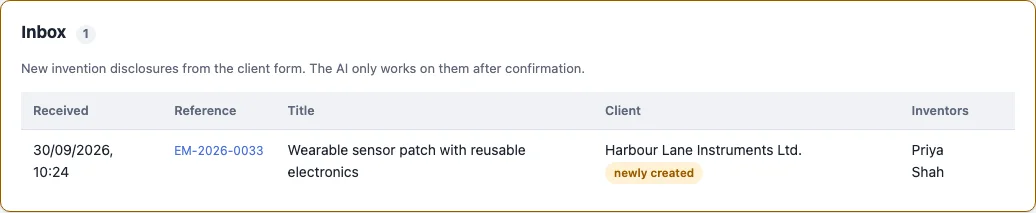
Submissions stay in the inbox until someone with the right to confirm checks them: correct the client, delete spam, confirm. Confirming makes the confirming user the owner, applies their default sharing, runs the conflict check for a new client and can start the first AI draft right away.