Users, rights and visibility
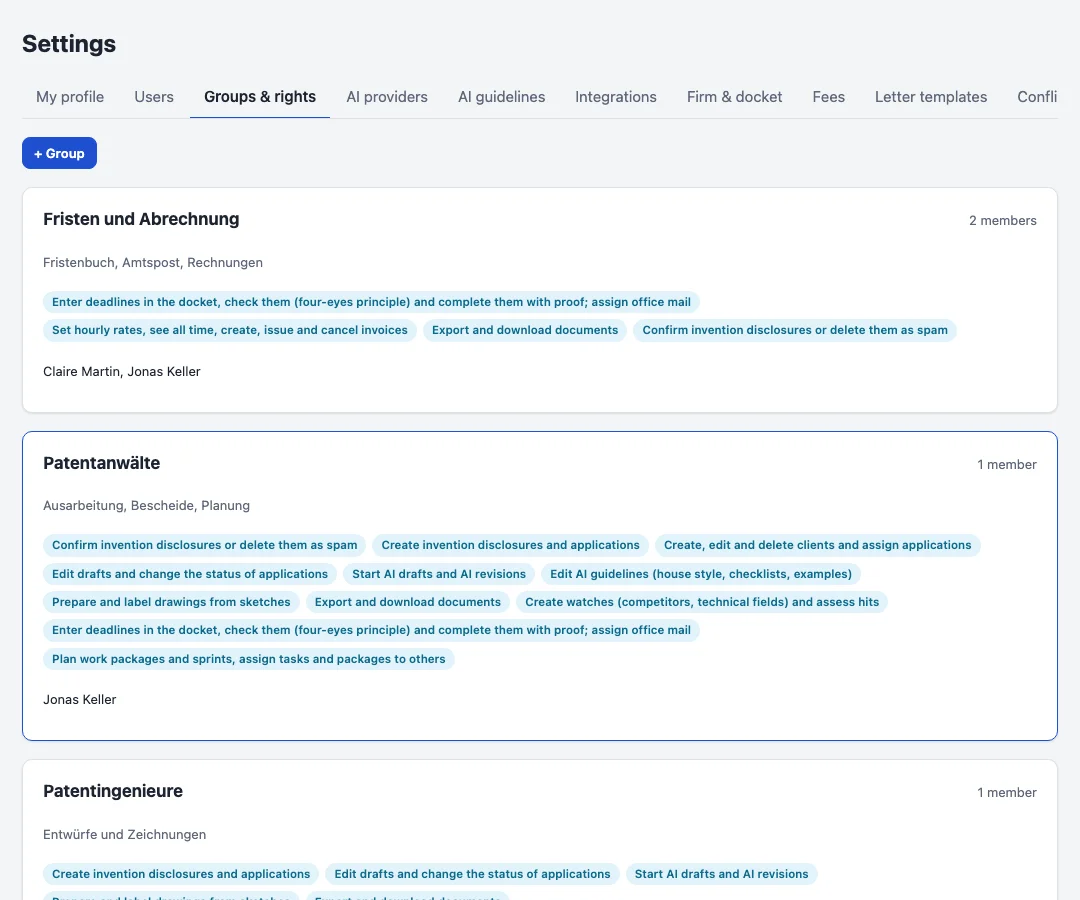
Every user signs in with e-mail and password; invitations and password resets work with a code sent by mail. Administrators manage users, groups and rights, connect the interfaces and see everything.
Rights
Rights belong to groups: confirming disclosures, creating files, managing clients, editing drafts, running the AI, editing the AI guidelines, preparing drawings, exporting, managing watches, keeping the docket, planning (work packages, sprints, templates, assigning work to others) and billing. A user has the rights of all groups they are in.
Visibility
Whoever confirms or creates a client or file owns it and decides who else sees it: everybody, certain groups or only themselves; administrators can also share with single people. A file follows its client unless it has its own setting. Records a user may not see are not listed anywhere, and opening them directly answers as if they did not exist.