PatentFlow
Track every patent. Draft with an AI that stays in your firm.
PatentFlow takes an invention from the disclosure to the granted right and beyond: the client reports it, a language model on your own server prepares description, claims and abstract, and every filing, office action, deadline and renewal of the family is tracked in one file. Nothing is sent to external AI services unless you decide so for a client.
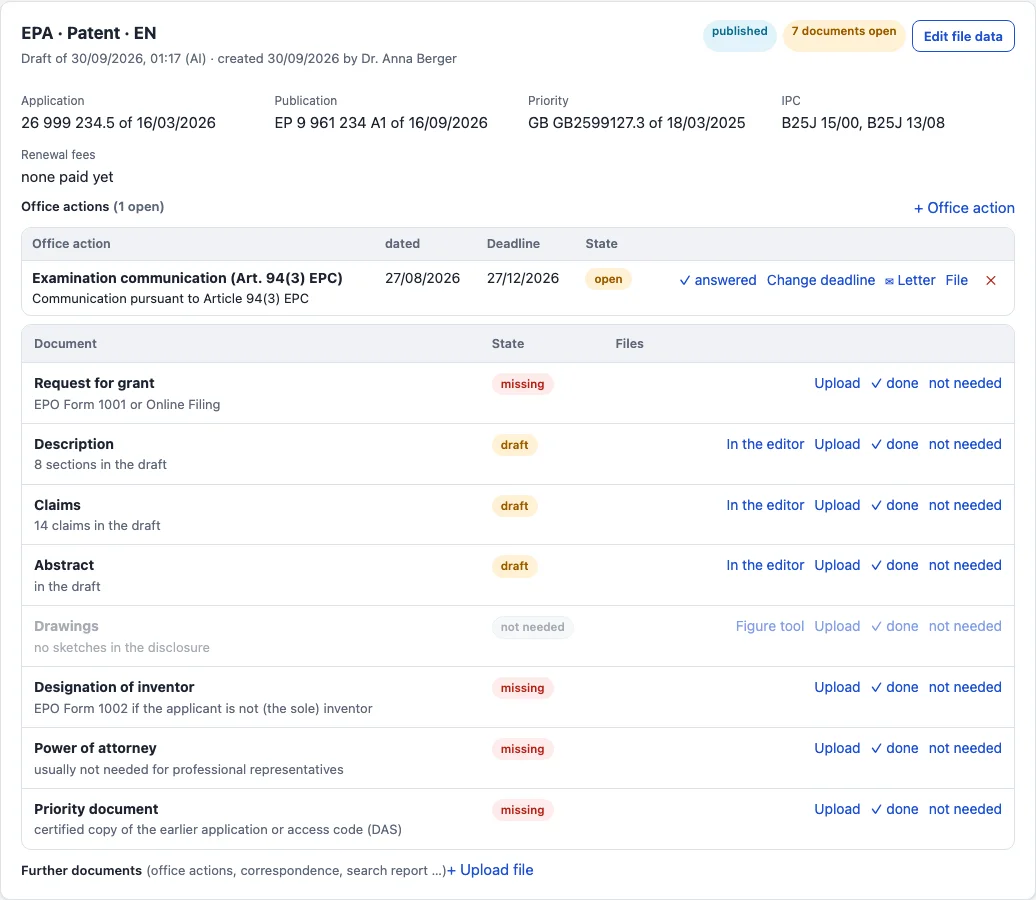
Every patent, completely tracked
Disclosure, drafts, filings in every office, priorities, office actions, the docket with pre-deadline and four-eyes check, renewal fees, proceedings and the letters to the client - one file per patent family, with its history. Computed deadlines are proposals until someone enters them, so nothing lands in the docket unchecked.
Learn moreAI drafts without exposing knowledge
The model runs on your server, next to the database. It drafts along the guidelines your firm sets - style, checklists, example claims per office - and no disclosure, draft or claim goes to a cloud service. External models can be added, but only per client, and every call is logged.
Learn moreFeatures
Everything a patent firm does with an invention, in one application - with or without AI.
Invention disclosure
Clients report inventions through a form on your firm's website or with a Word template. Submissions wait in the inbox until an attorney confirms them - no AI runs before that.
Learn more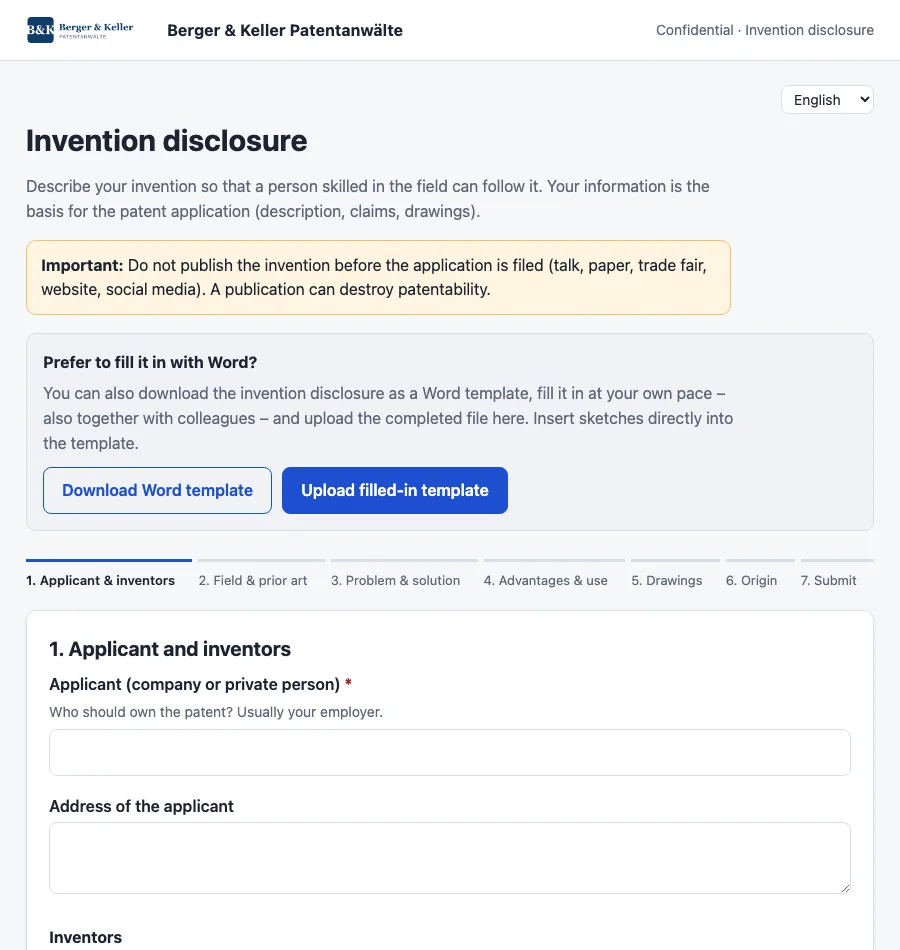
AI drafts
Description, claims and abstract for DPMA, EPO, USPTO or PCT, in German or English, prepared from the disclosure by a model on your server - then edited in the editor or in a chat with the model.
Learn more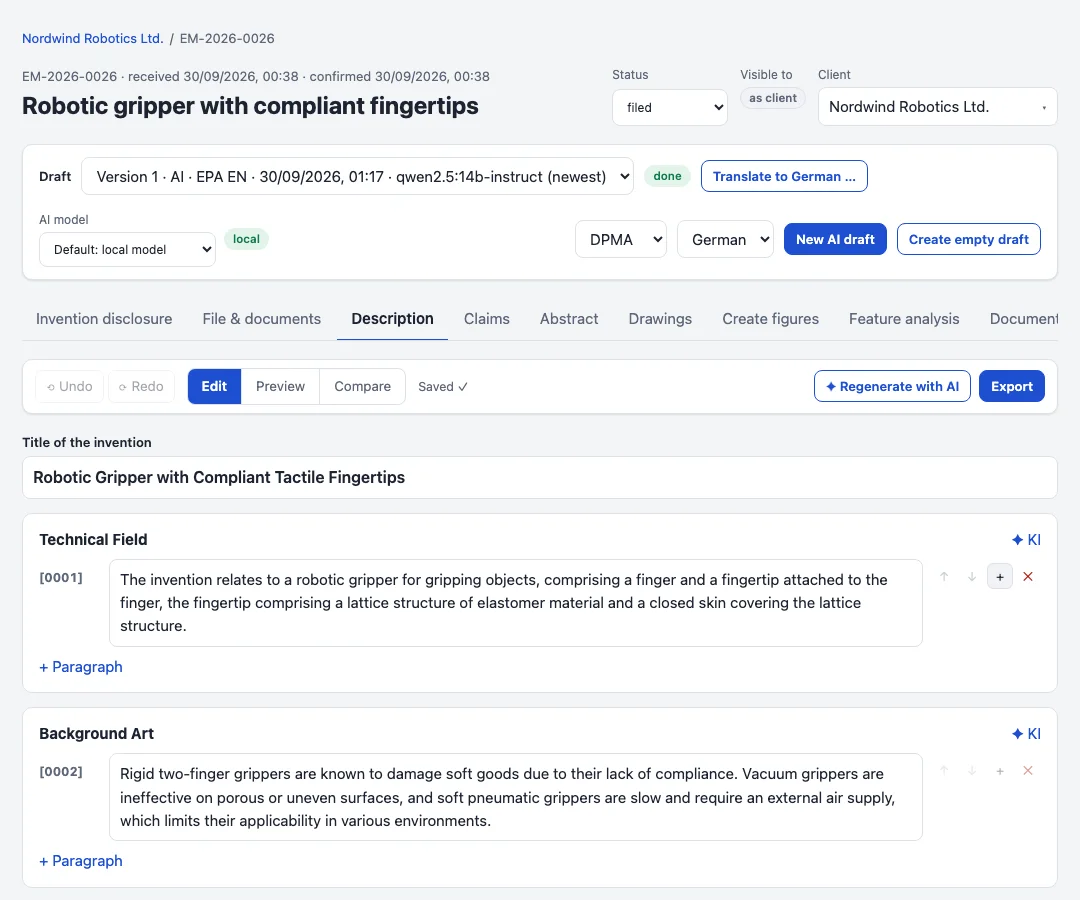
Claims and drawings
The claim tree shows every dependency; renumbering updates the references. The figure tool turns sketches and photos into drawing sheets with reference signs.
Learn more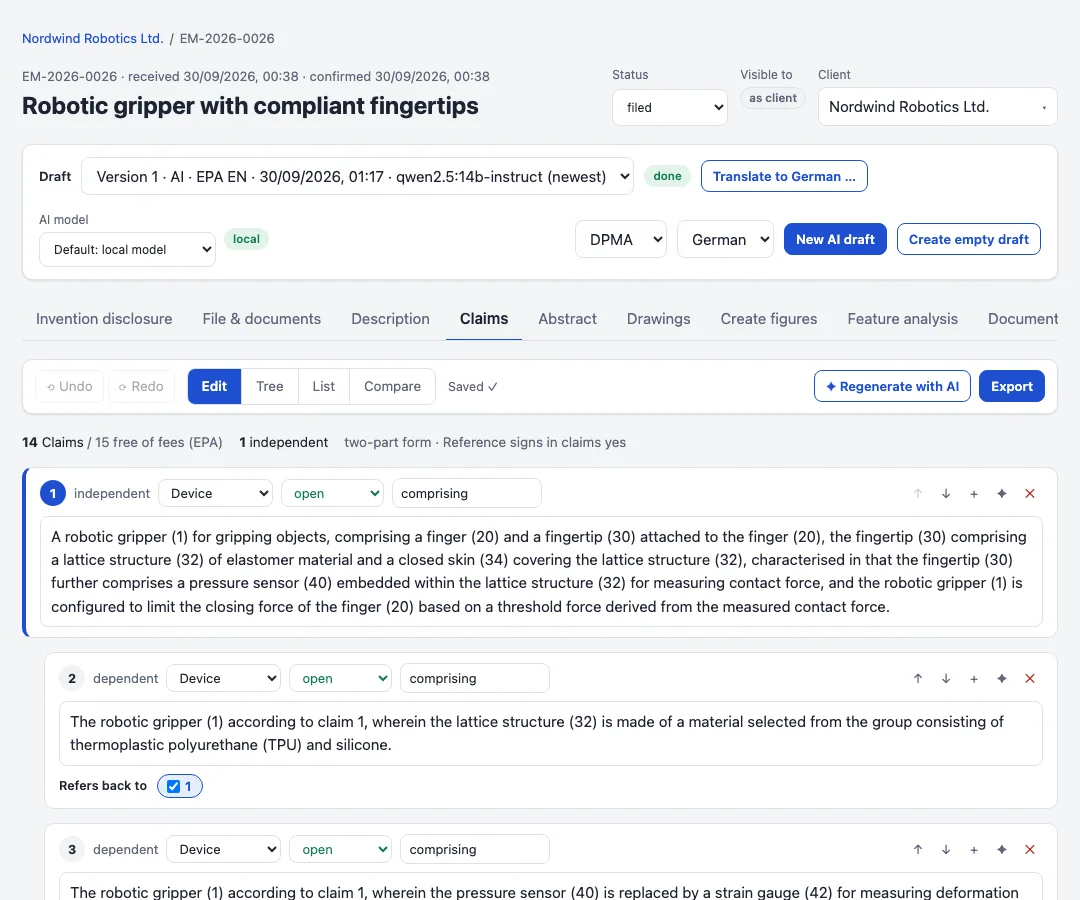
Files, deadlines and docket
Priority year, PCT phases, validations, office actions and renewals are computed from the filings. The docket adds pre-deadlines, a responsible person, the four-eyes check and completion with proof.
Learn more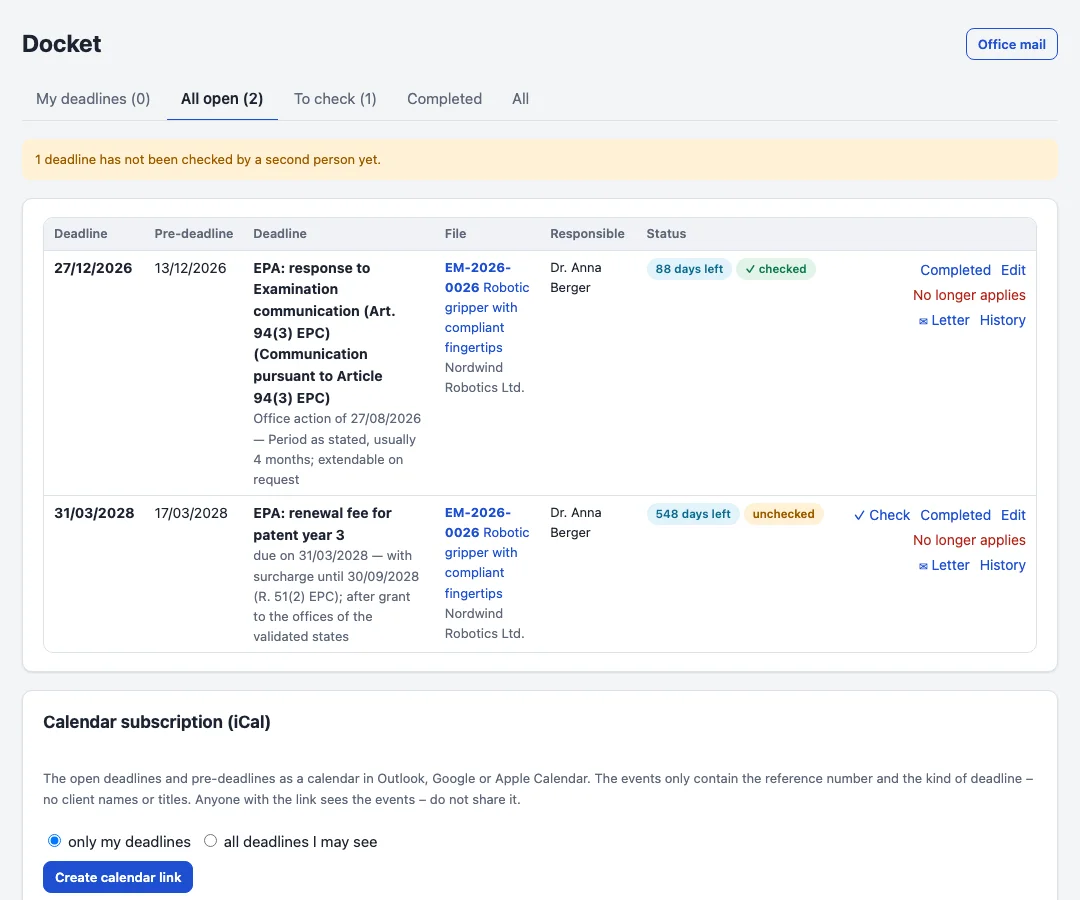
Office mail, fees and letters
Uploaded office letters are read and assigned to their filing with the deadline. Official fees come from tables compared weekly with the offices; letters to the client are written from templates.
Learn more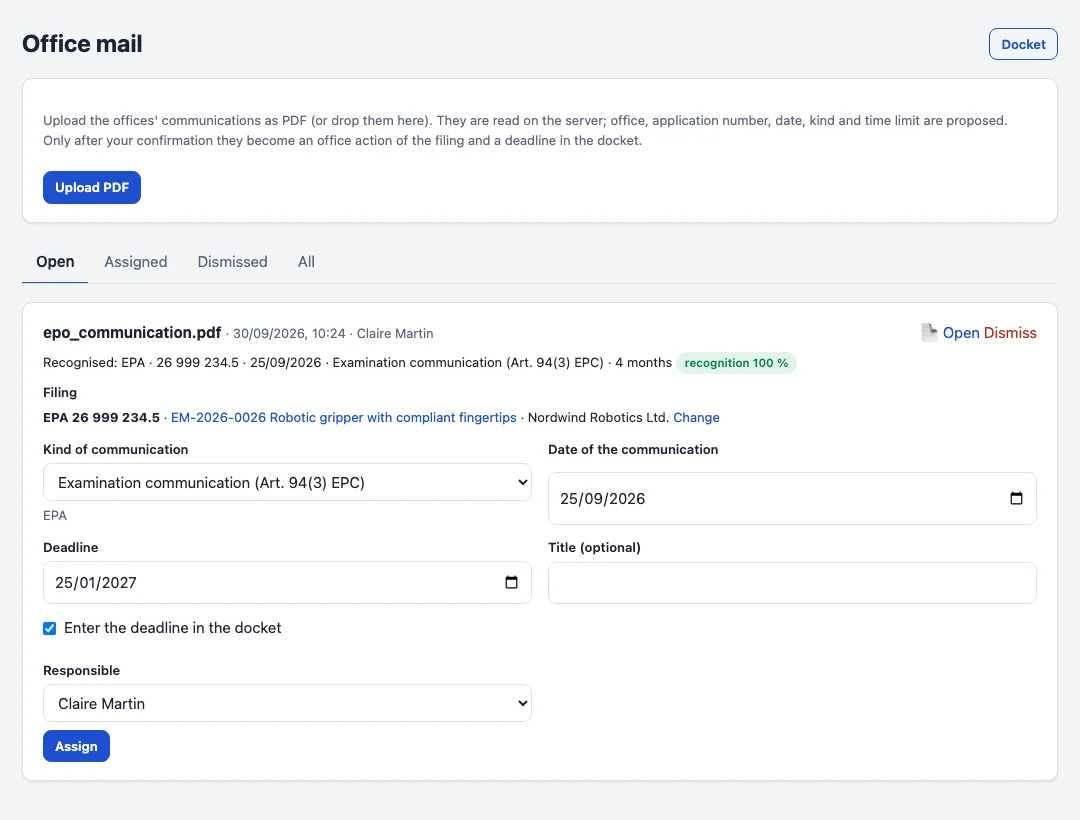
Monitoring and analysis
Watch competitors and technical fields in the EPO database, open an opposition file with one click, and compare claims feature by feature with documents or products in claim charts.
Learn more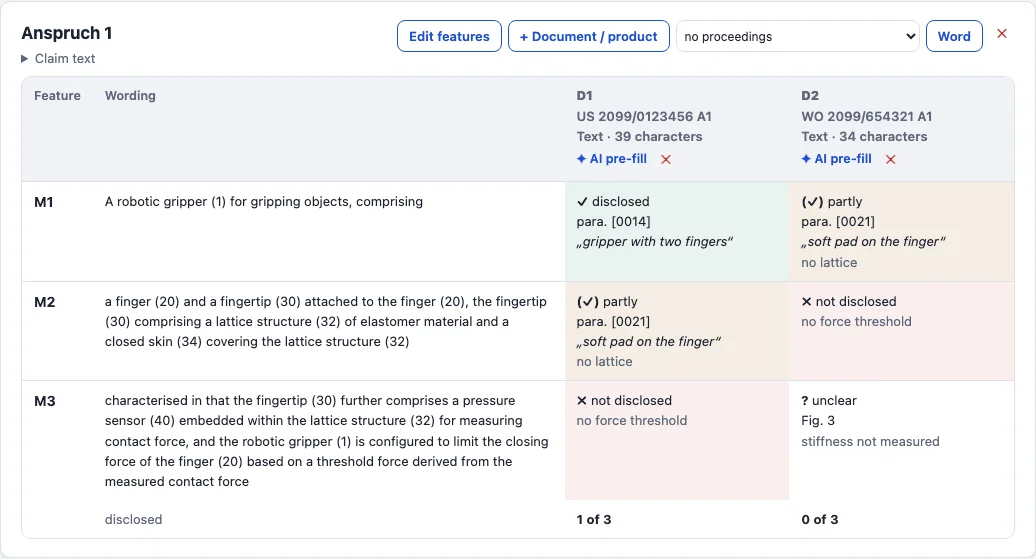
Planning, time and invoices
Plan and assign work packages and tasks up to the deadline, optionally in sprints. Record time per file, with a stopwatch if you like, and bill it with official fees and expenses - invoice numbers without gaps, corrections only by cancellation invoice.
Learn more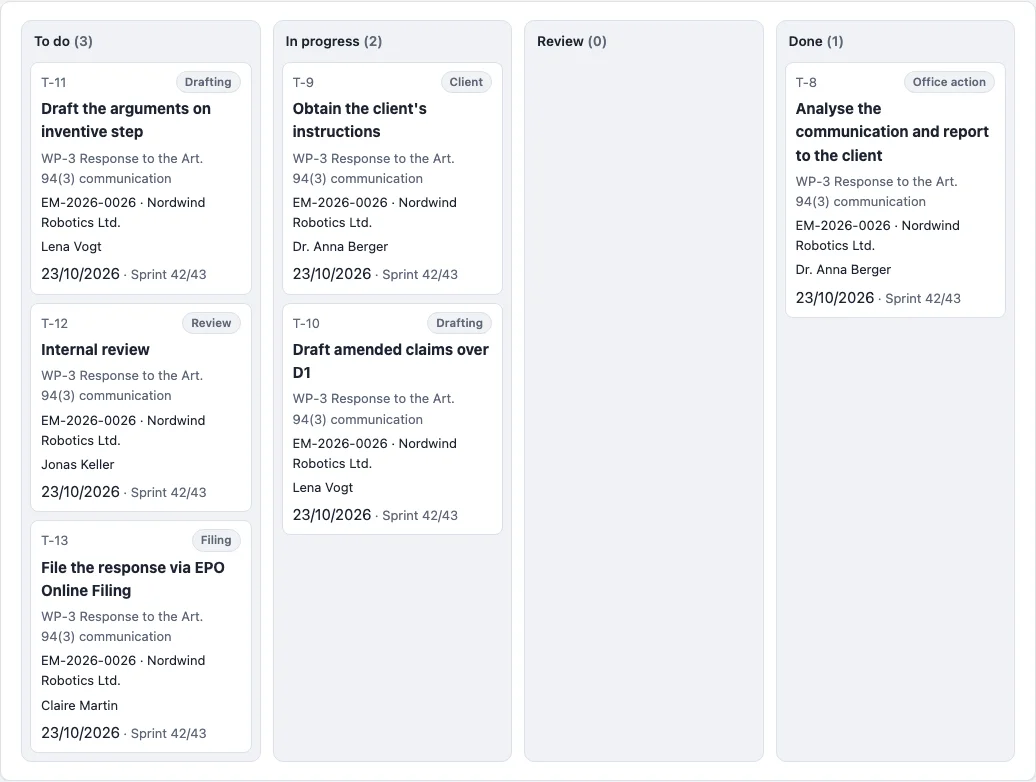
Security and compliance
Rights per group and visibility per client or file, a conflict check for new clients and counterparties, an append-only audit log and encrypted, regularly tested backups.
Learn more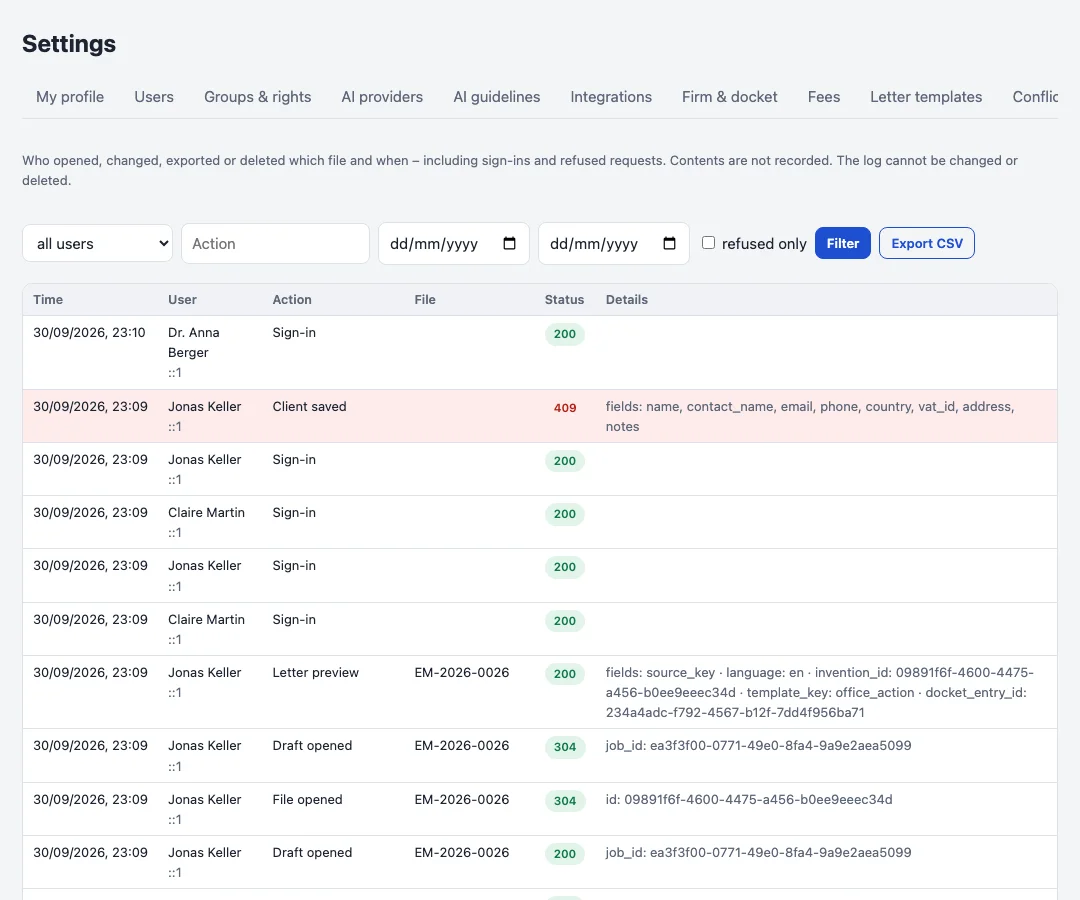
Editions
PatentFlow is installed on your own server or with a hosting provider of your choice. All editions include the disclosure form, the Word template and the three languages.
Firm
Case management without AI
On request
- Files, filings and office actions
- Docket with four-eyes check
- Planning with tasks, work packages and templates
- Office mail, fees and letters
- Time and invoices
- Runs without an AI server
Firm + AI
Local model or connected providers
On request
- Everything in Firm
- AI drafts, revisions and chat
- Translations with terminology list
- AI claim charts
- Firm guidelines for the AI
- Local model optional, external providers per client only
Setup and operation
Installation, hardware, training
On request
- Installation on your server
- Advice on AI hardware (GPU)
- Training for your team
- Updates and support
Prices are quoted per firm on request. Licences are agreed per installation; see the Terms and Conditions.
Contact
Questions, a demo or a quote - write to us.