Planning and tasks
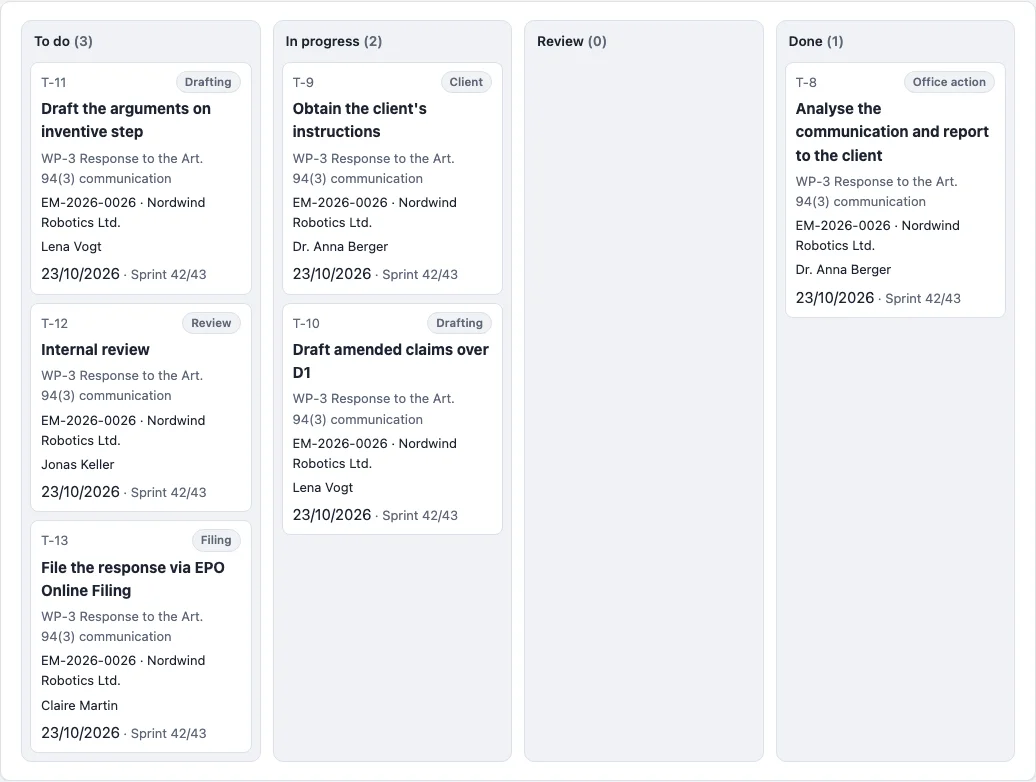
Work packages (WP-1, WP-2 …) group tasks towards a goal, usually an open deadline of the file in the docket (the milestone). Tasks (T-1, T-2 …) are the single steps with a type - drafting, review, drawings, translation, formalities, filing, office action, client, search, billing -, an assignee, a status and a due date. Tasks without a package are internal.
Due dates
- Own date: applies as long as the task or package is in no sprint.
- Task without a date: due with its work package.
- Package without a date: due at its deadline's pre-deadline.
- With sprints: in a sprint, the sprint's end applies; a task without a sprint of its own belongs to its package's sprint.
- If the plan ends after the official deadline, "after official deadline" appears; overdue items are marked red.
Templates
A template is a list of tasks with their type and the days before the package is due. Creating a package from a template adds all tasks with dates counted back from the due date or the pre-deadline; dates in the past are set to today. Four templates are prepared and can be changed freely.
Board and sprints
The board shows the tasks by status, filtered by person and sprint; cards move by drag and drop. The firm switches sprints on under Settings → Firm. They can have any length and at most one runs at a time; when one closes, whatever is unfinished moves to another sprint or back to the backlog.
Rights
Packages, sprints and templates are managed, and work is assigned to others, by those with the "planning" right. Everyone else creates tasks for themselves and works on those assigned to or created by them. Tasks in files someone may not see stay invisible. Whoever is assigned something by someone else gets an e-mail.