AI drafts that never leave your firm
Unpublished inventions are the most confidential data a firm holds. PatentFlow therefore drafts with a language model that runs on your own server - the disclosure, the drafts and the claims never go to a cloud service. What the model writes follows the rules your firm defines.
A model on your server, next to the database
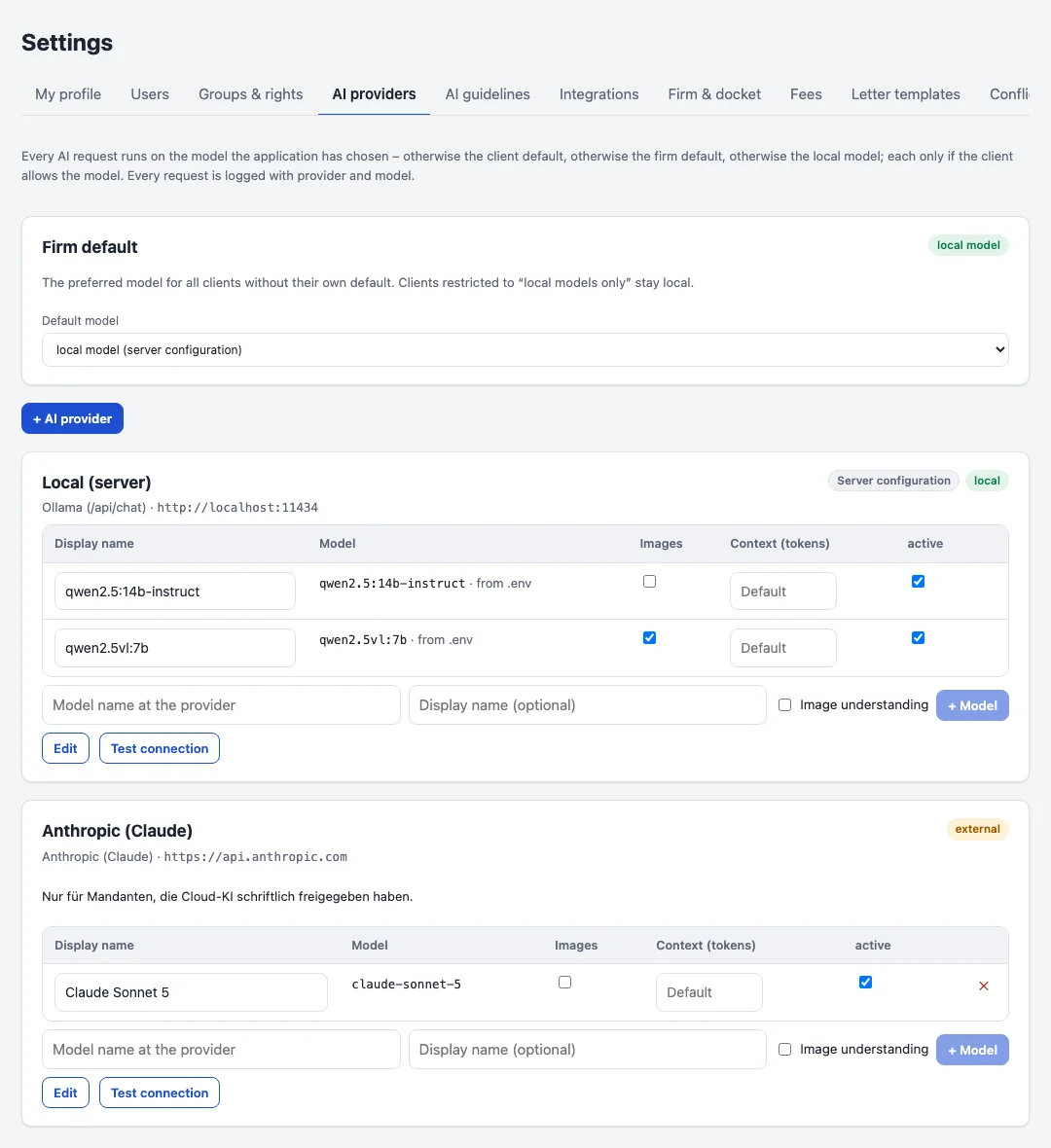
The standard installation includes a local model (Qwen 2.5 14B via Ollama) that runs on the same server as the database or on a separate one in your network. It is not required: the firm can also connect external providers only, or work without AI entirely. No AI runs on a submission before an attorney has confirmed it.
Firms that want to use other models can connect them - an OpenAI-compatible server of their own, or a cloud provider such as Anthropic. Each client decides which models may process its files, the local model is the default where one is installed - an external model is only used when explicitly chosen - and every AI call is logged with model, user and file.
Drafts along your firm's guidelines
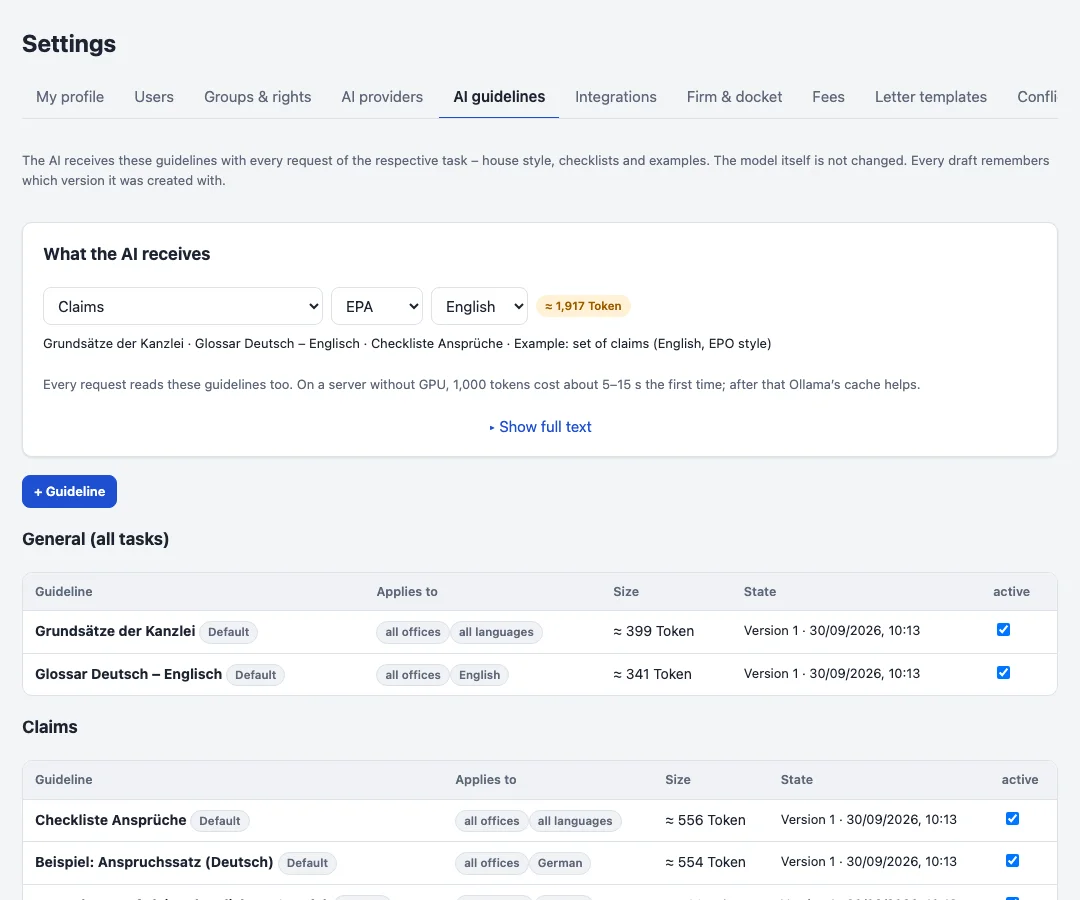
Style, structure and checklists come from guidelines the firm writes and versions itself - per task, office and language, for example an example claim set for the EPO or a glossary for English drafts. They are part of every request, so the model drafts the way the firm drafts.
From the disclosure the model writes an outline, the claims, the description with one section per figure, and the abstract, for DPMA, EPO, USPTO or PCT, in German or English. A draft usually takes minutes on a GPU server and considerably longer on a plain CPU server; it runs in the background and the attorney gets a mail when it is done.
Edit, revise, discuss
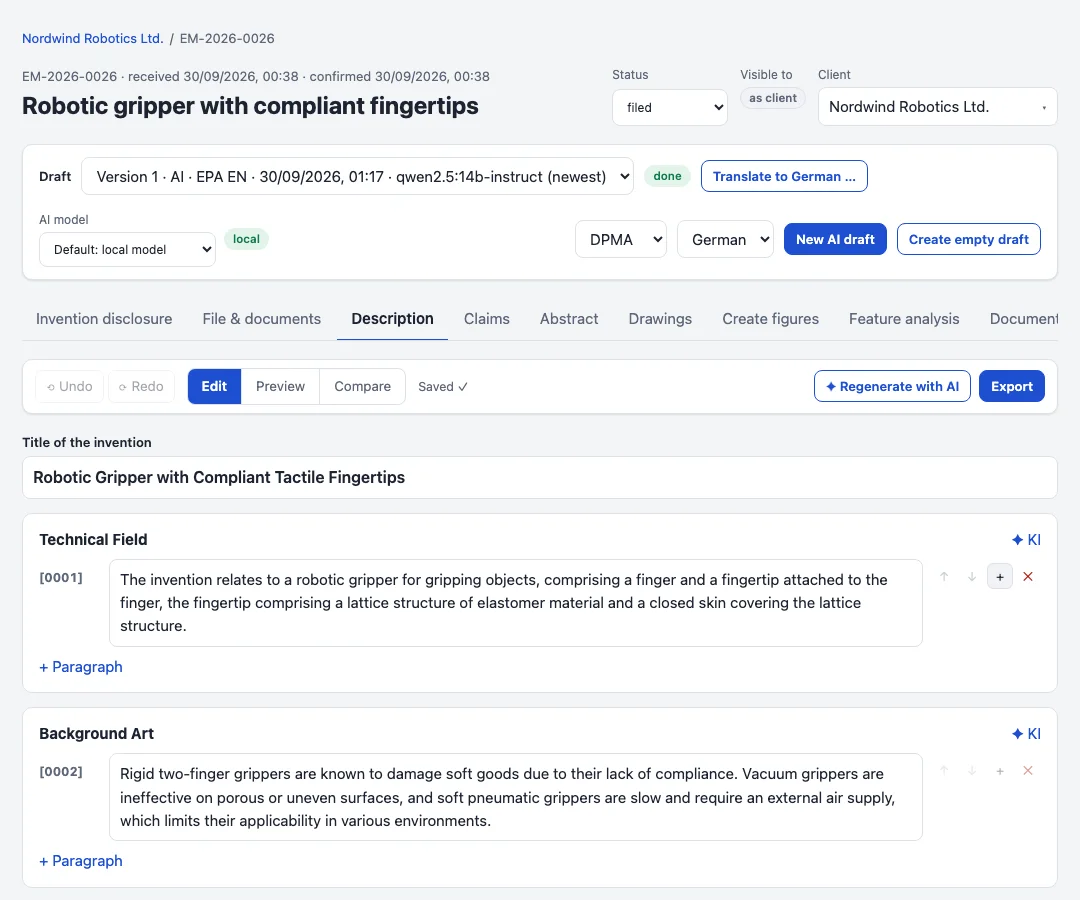
Every draft opens in an editor with autosave and undo. Single sections or claims can be revised with an instruction, and a chat next to the draft answers questions and proposes changes that are applied with one click - dictation included, transcribed in the browser.
Warnings point out missing reference signs, claims whose dependencies do not match, and placeholders still to be completed. The final documents are exported as Word, PDF or Markdown in the office's format.
Claim tree and drawings
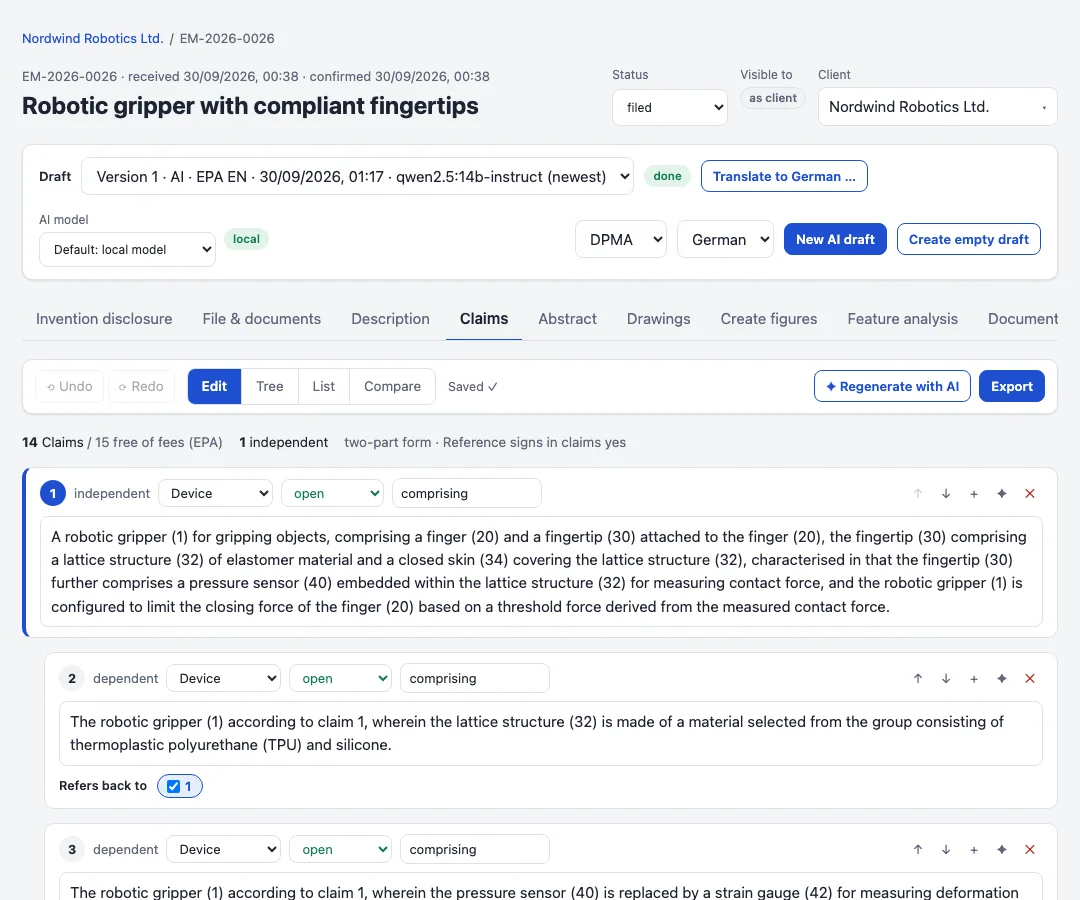
The claim tree shows which claim refers to which; renumbering keeps the references right. The figure tool turns sketches, photos and CAD screenshots into black-and-white drawing sheets in the office format and places the reference signs, which the vision model can suggest.
Translations with a terminology list
For a filing in another language the model first proposes a terminology list, which the attorney corrects; the translation then keeps to it. A translation can also be done by copy and paste with a tool of your choice, block by block.