The data stays on your server
PatentFlow is installed on your own server or with a hosting provider of your choice, including the database, the files and the AI model. The software sends no usage data. It only connects to outside services that you set up.
Installation on your server
A build script installs the application, the database and, if wanted, the AI model with Docker on a Linux server. The model can run on the same server or on a separate one that only the application can reach. A local model is not required: firms can connect external providers only or work without AI entirely, for which there is an edition without AI components.
Outbound connections are limited to what you use: your mail server, the patent offices' interfaces, the weekly fee comparison and external AI providers only if you configure them.
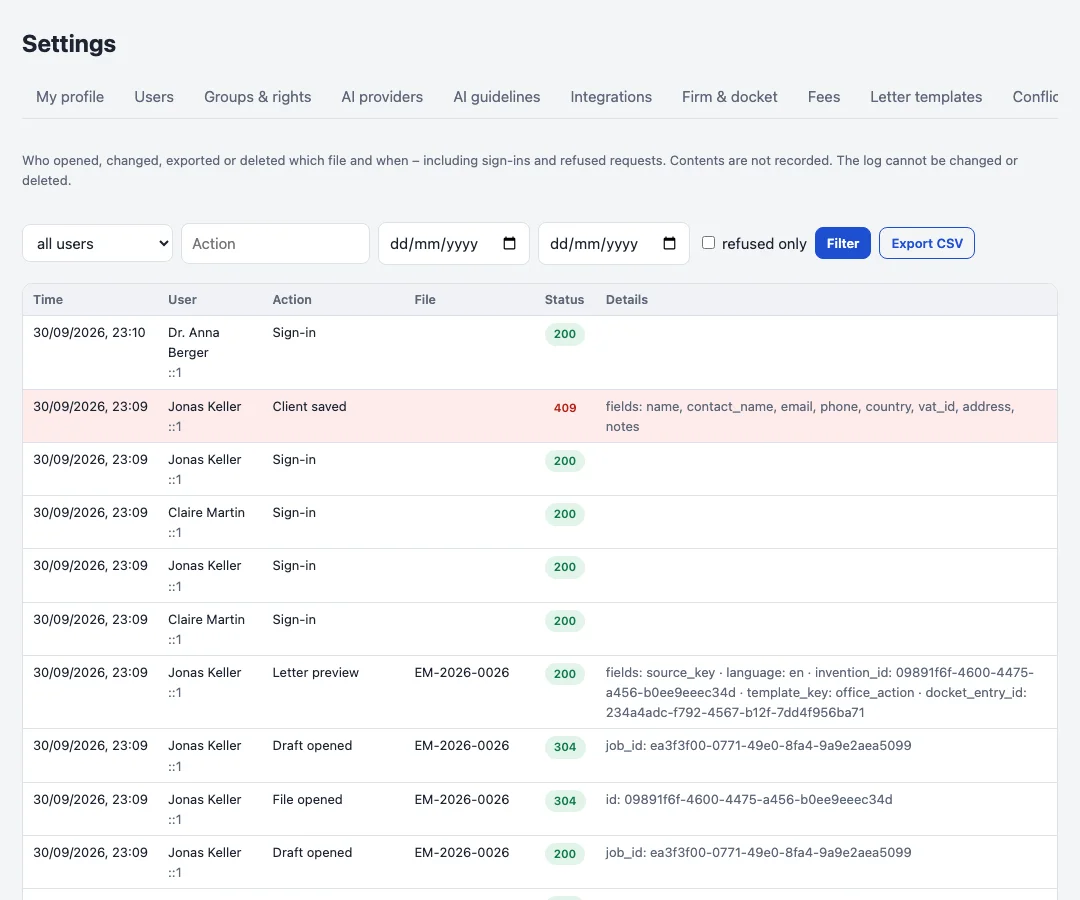
Append-only audit log
Every change, every opened file, every export and every download is recorded with user, time, file and result, including refused requests and sign-ins. Contents are not recorded. The database refuses to change or delete entries. Administrators filter and export the log; the history of a file is visible to everybody who may see the file.
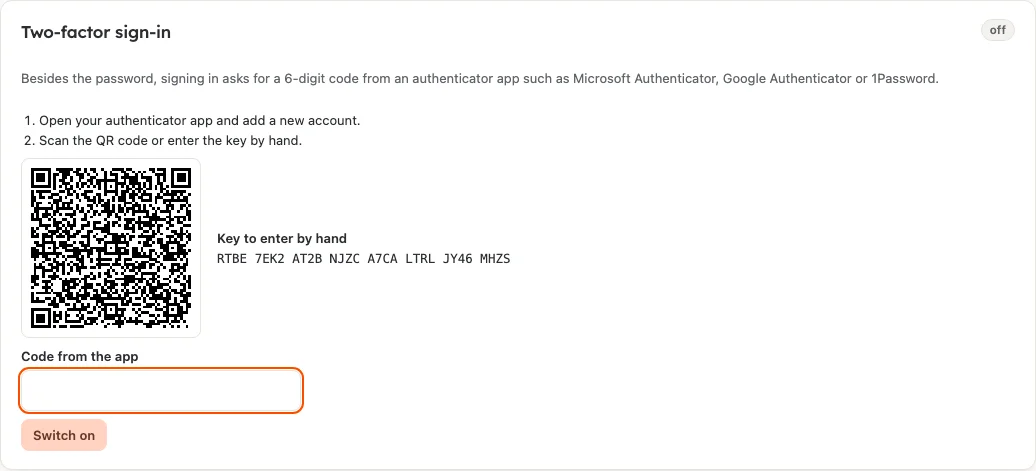
Two-factor sign-in
The second factor is a one-time code per RFC 6238 (TOTP) from an authenticator app. It is requested after the password or after the code sent by e-mail. During setup the person receives recovery codes for the case that the device is missing.
The firm sets in the settings who needs a second factor: nobody, portal users only or everyone. Anyone who has not set it up yet gets a session that allows only the setup. An administrator can reset a person's second factor.
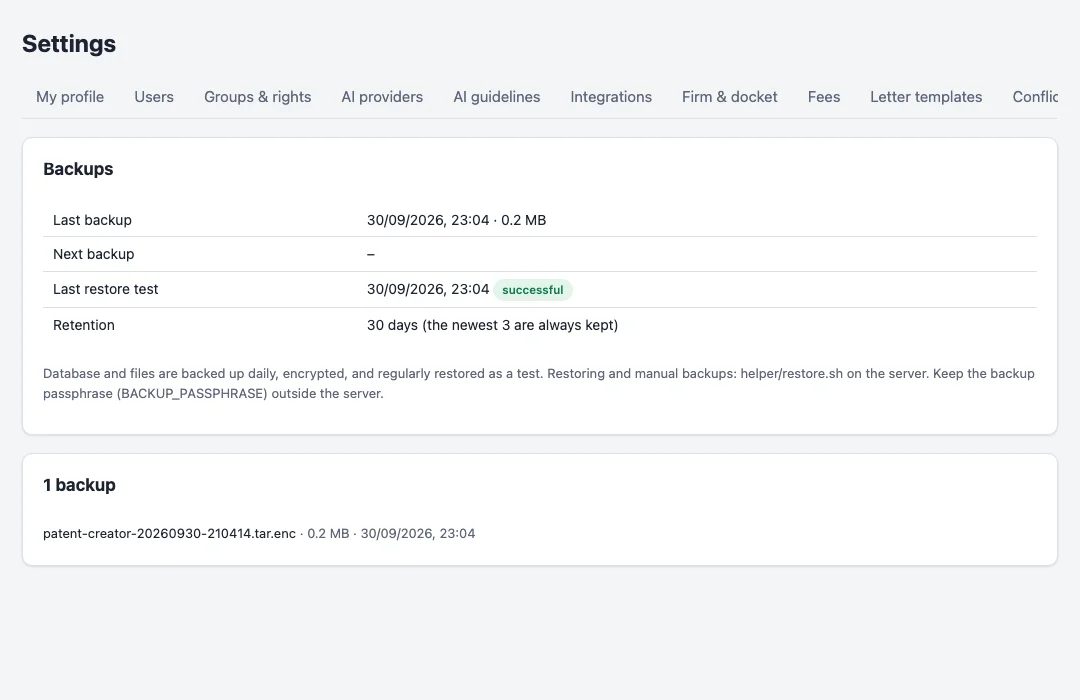
Encrypted backups, tested automatically
A separate container backs up the database and all files every night, encrypted with a passphrase that stays outside the server, and regularly restores the newest backup into a scratch database to prove it can be read back. The status is shown in the settings, with a warning when a backup is missing or a test failed.
Sessions and sign-in
Sign-in uses short-lived access tokens and rotating refresh tokens that are only stored as hashes; a stolen token that is used twice ends the session. Signing out, a password change or a deactivated user end access at once. API keys of AI providers are stored encrypted and never sent back to the browser.
A demo with an example from your firm.
We show you PatentFlow with a case of your choice and then plan the installation.