Patent management from the disclosure to the renewal fee
A file in PatentFlow holds the whole patent family - the firm's own filings and the foreign ones, with register data, documents, deadlines and correspondence. The deadlines are computed from the filings, entered in the docket and checked by a second person, and every change stays in the history.
One file per patent family
Every filing - DPMA, EPO, USPTO, PCT or any national office - keeps application, publication and grant number and date, the claimed priorities, IPC classes and the draft it is based on. A filing the firm does not handle, such as the foreign origin of a follow-up filing, sits in the same file with its data.
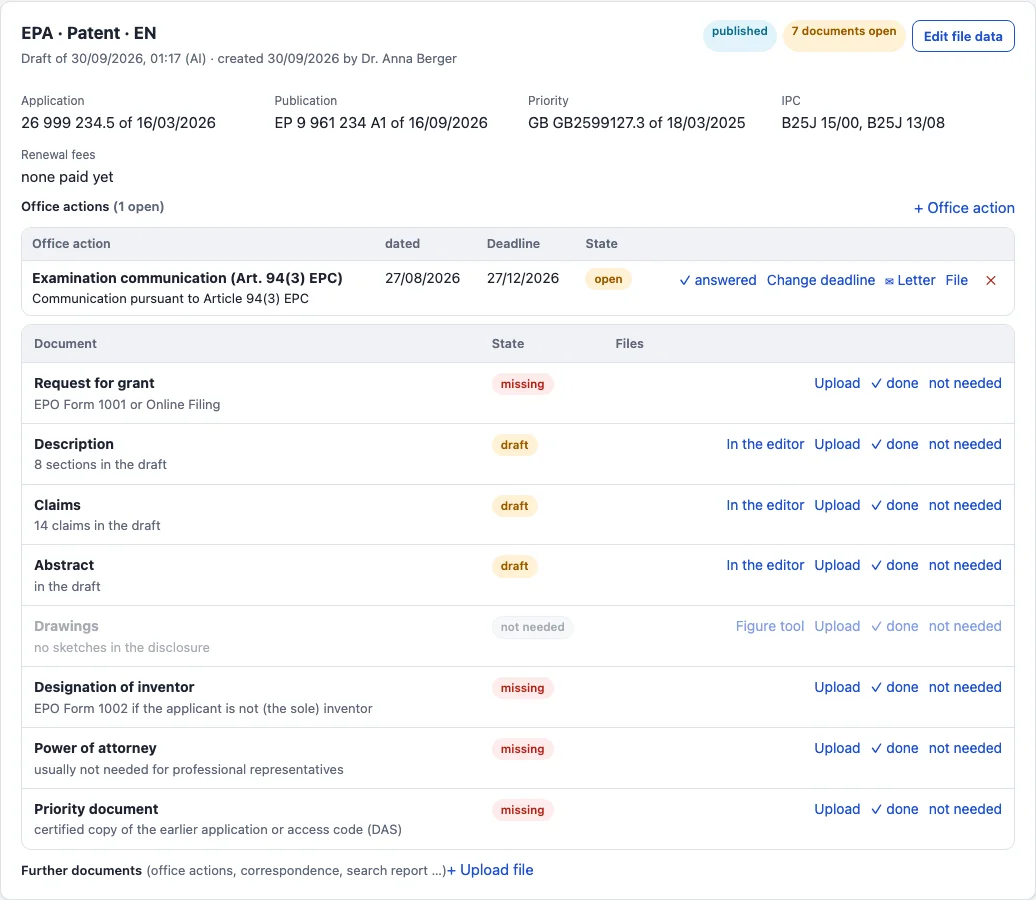
Per office, a checklist shows which documents are missing: request form, description, claims, abstract, drawings, inventor designation, power of attorney, priority document. Items are ticked off or uploaded, and the drafts from the editor count automatically.
Deadlines computed, docketed, checked
From the filing and priority dates PatentFlow computes the priority year, the PCT national and regional phases, EP validation and unitary effect, the DPMA inventor designation, office action responses, renewals and the end of the opposition period.
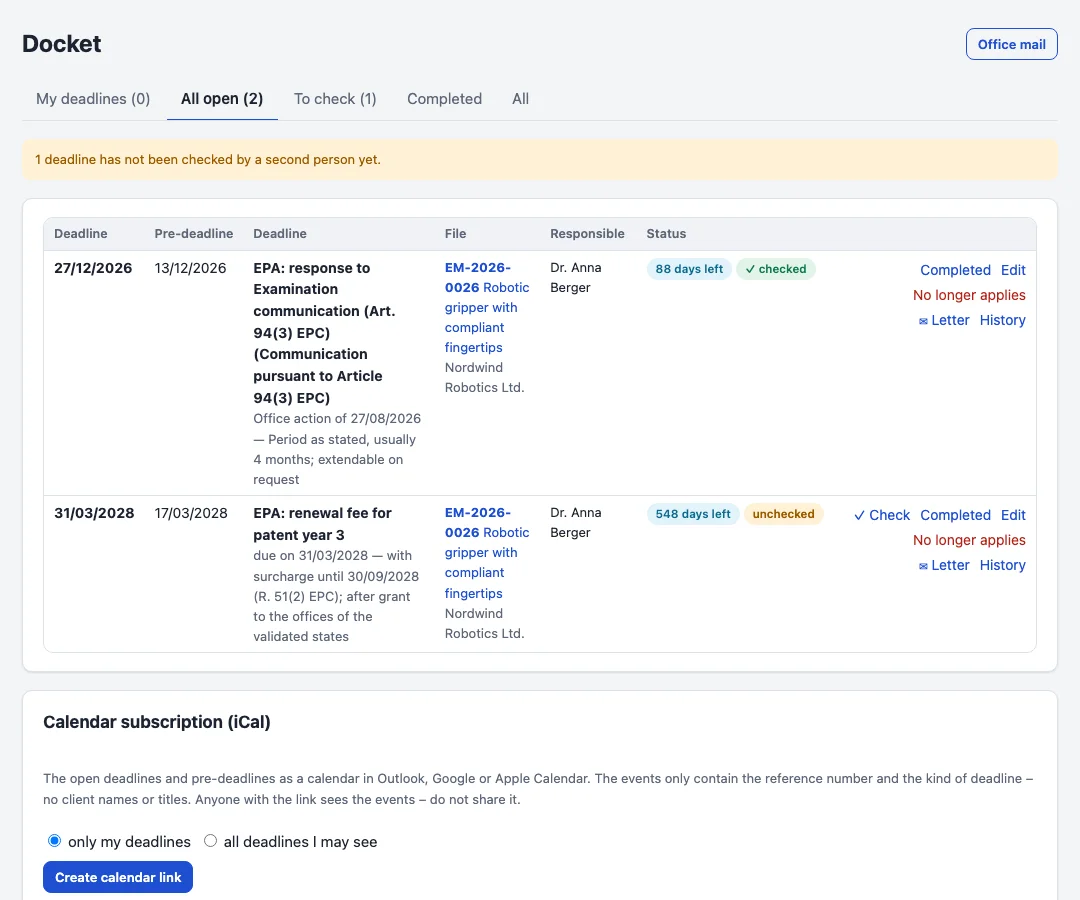
Computed deadlines are proposals. Someone enters them in the docket, where each one gets a pre-deadline, a responsible person and the four-eyes check: whoever entered a date may not check it, and a date changed later needs a new check. A deadline is completed with proof - a note or the filing receipt - and never simply deleted.
The responsible person gets reminder mails at the pre-deadline and before the deadline; overdue ones also reach the owner of the file. Every user can subscribe to the docket in Outlook, Google or Apple Calendar.
Office mail read and assigned
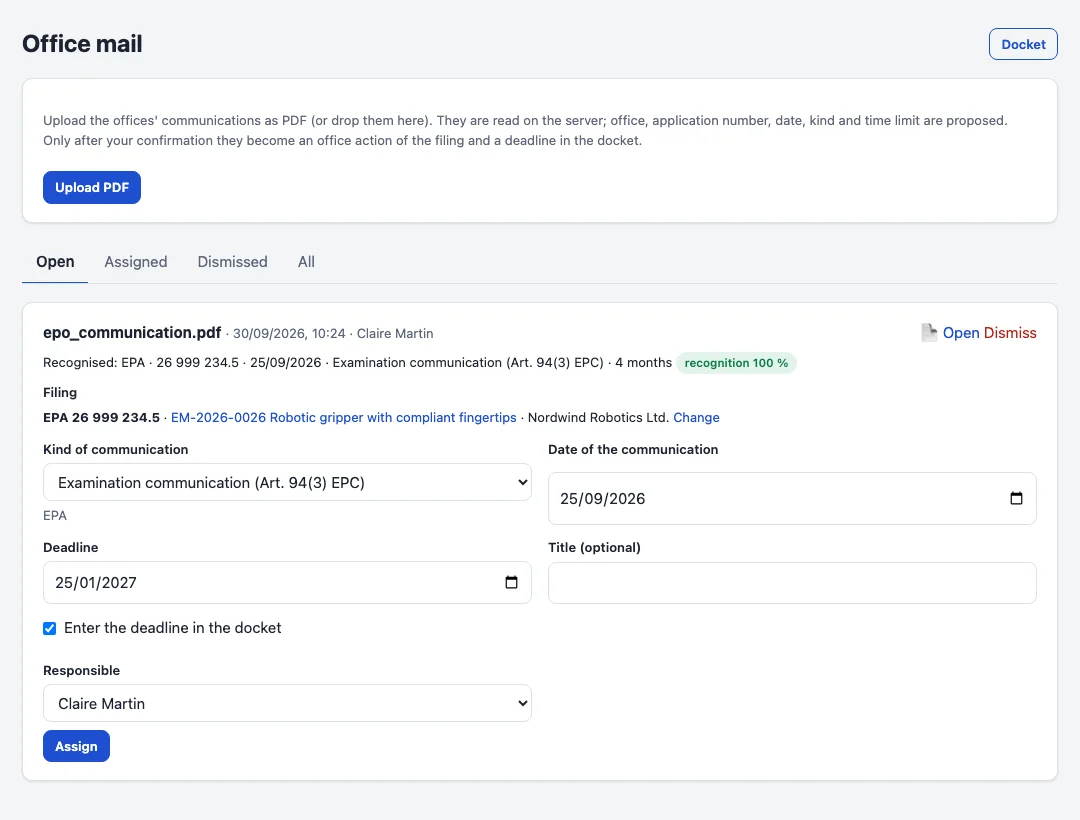
Office letters are uploaded as PDF and read on your server, with OCR for scans. PatentFlow recognises the office, the application number, the date, the kind - for example a communication under Art. 94(3) EPC or a DPMA examination report - and the stated time limit, and finds the filing.
After a check, one click turns the letter into an office action of the filing, with the PDF attached and the response deadline in the docket.
A reply written in Word or another program is filed with the office action together with the date it was sent. The office action is then marked as answered, and the file shows the communication and the reply side by side.
Mailbox for office mail
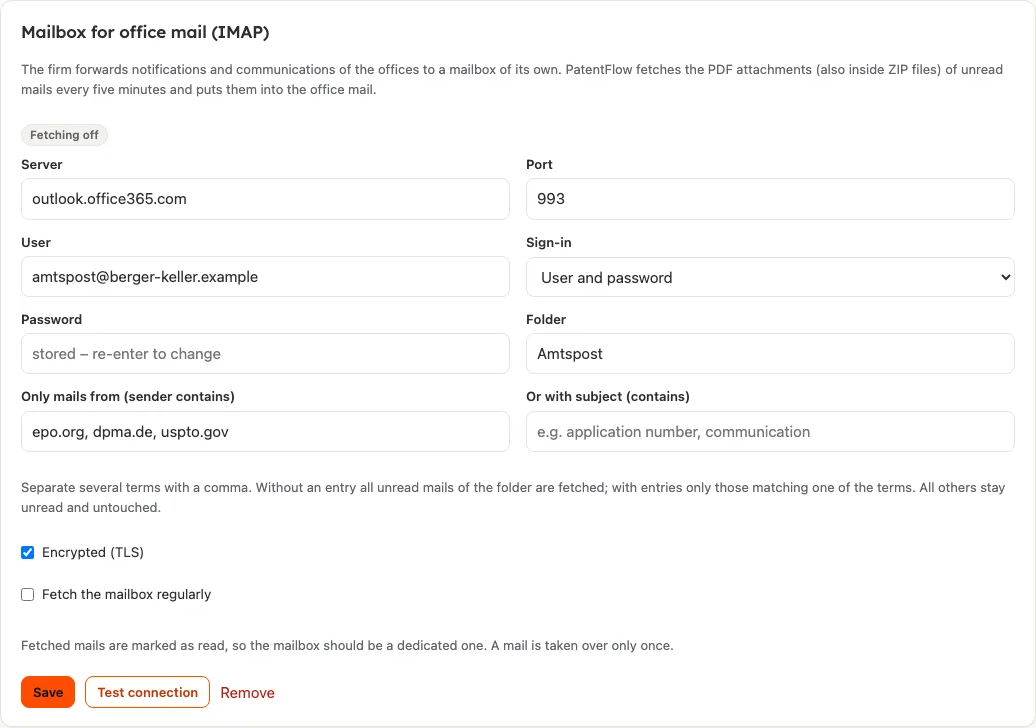
The firm forwards notifications and communications of the offices to a mailbox of its own. PatentFlow fetches this mailbox every five minutes over IMAP, takes the PDF attachments - also inside ZIP files - and puts them into the office mail. Each mail is taken over once and marked as read, so the mailbox should be a dedicated one.
The ZIP file the MyEPO mailbox offers for download can also be uploaded to the office mail. As with uploaded letters, PatentFlow proposes office, application number, date, kind and time limit, and a person confirms the assignment. Server, user and password are entered under Settings → Interfaces.
PatentFlow can also fetch the EPO mailbox in MyEPO directly: with the credentials of a B2B account it collects the EPO's communications every 15 minutes, takes dispatch date, application number and the firm's file reference from the office and marks the communication as handled in MyEPO. A sandbox with dummy data is available for checking.
Comparison with the register
For European filings PatentFlow asks the register through the EPO's Open Patent Services, for German ones through the DPMA's DPMAconnectPlus. The comparison runs daily and on demand for a filing. It compares the filing date, publication and grant numbers with dates, and the state of the filing with what the file holds, and proposes the differences.
A proposal is taken over only when someone confirms it; a dismissed proposal does not come back. The state only moves forward, and ended filings stay as they are. The register's events are listed with the filing for information. DPMAconnectPlus requires a contract with the DPMA; the access is entered under Settings → Interfaces.

Foreign associates and instructions
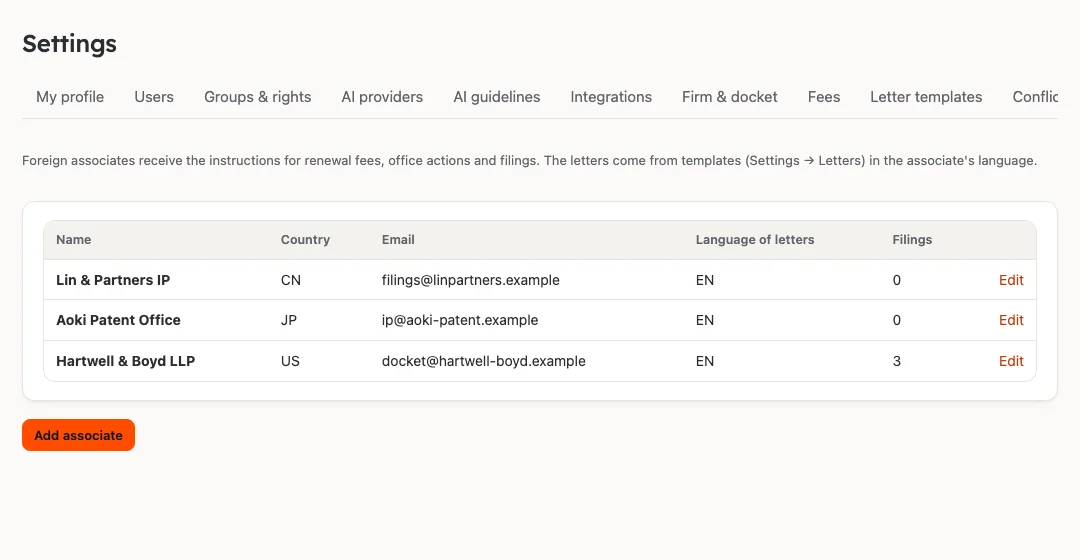
The associates abroad are kept in a list of their own with country, address, e-mail and the language of their letters. A filing names its associate and their reference. Templates produce the instructions to the associate: to pay a renewal fee, to respond to an office action or to file an application.
There is no interface to renewal payment services; the associate arranges the payment.
Taking e-mails into the file
E-mails (.eml, from Outlook also .msg) can be dragged into a file. There they are kept under "Correspondence" with sender, date, text and attachments. A PDF attachment goes on to the office mail with one click.
Whoever imports an e-mail outside a file gets the file proposed: PatentFlow looks in the subject, the text and the PDF attachments for the firm's reference and for application numbers. A person confirms the assignment.

Taking over a portfolio from another system
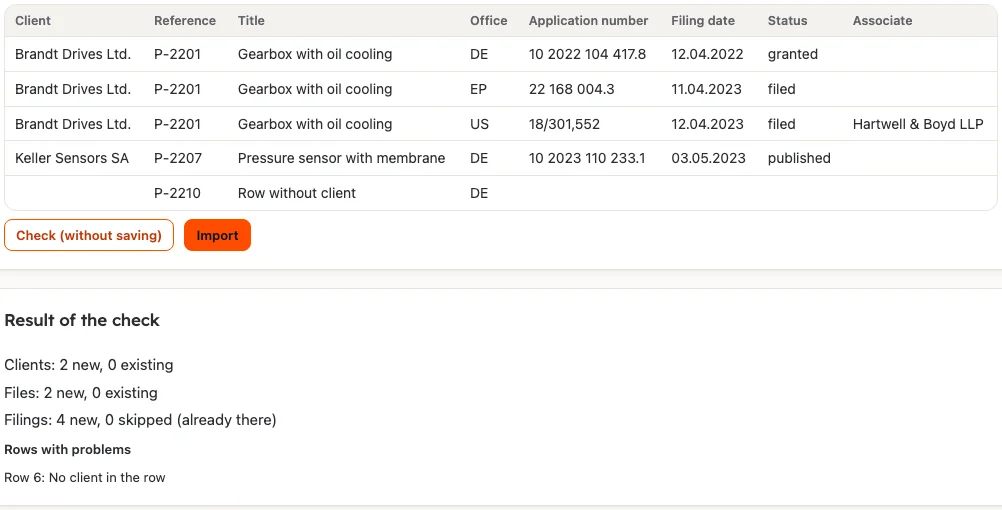
A CSV or Excel file with one row per filing creates clients, files and filings. The columns are assigned, the suggestion follows the column names. A check shows beforehand what would be created and which rows cause problems.
Existing clients and files are reused and existing filings skipped, so the file can be read in again. New clients go through the conflict check.
Official fees from the offices' own figures
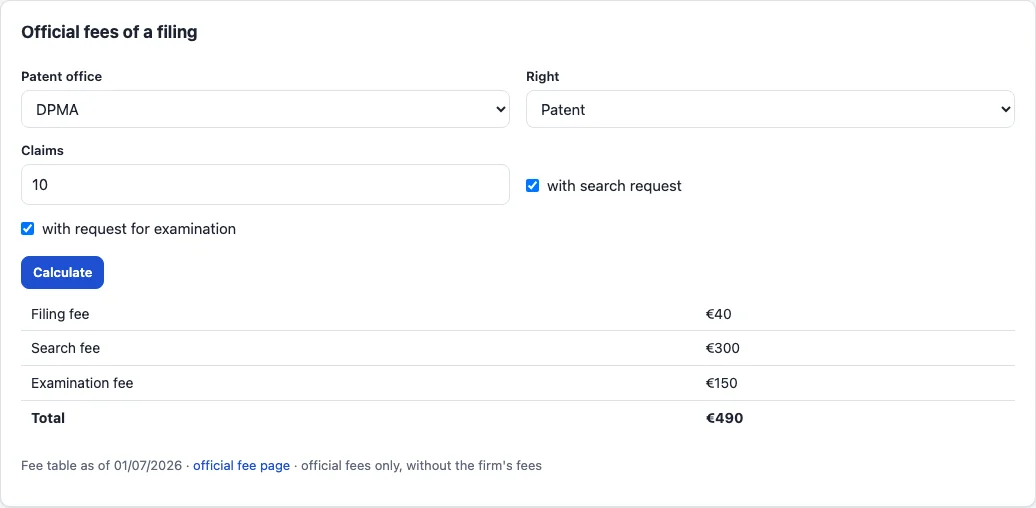
Every renewal deadline shows the official fee and the late surcharge, and each file lists the renewal fees of the coming years. A calculator gives the fees of a new filing for DPMA, EPO and USPTO.
Once a week the tables are compared with the EPO schedule of fees, the DPMA cost sheet and the USPTO fee schedule. PatentFlow shows the differences item by item; they are only applied once an administrator accepts them.
Letters to the client
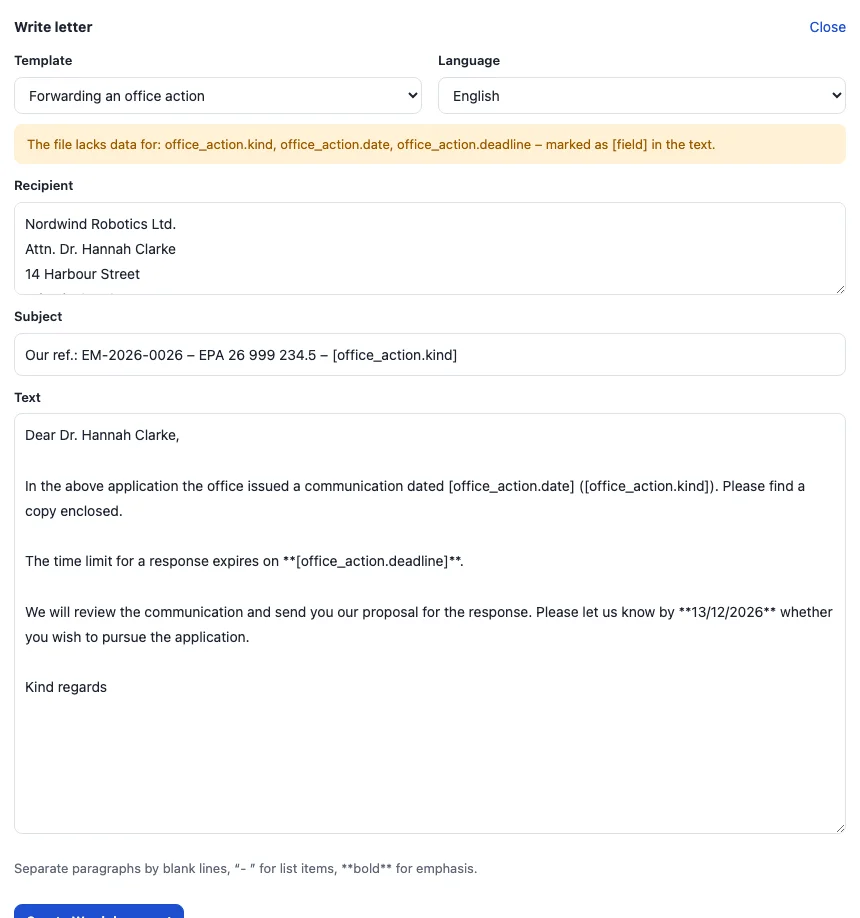
Deadline notices, forwarded office actions, status reports and renewal instructions are written from templates in German, English or French. Client, filing, deadline and fees are filled in from the file; the text can be edited before the Word letter with your letterhead is created and kept in the file.
EP filing through Online Filing 2.0
From the draft of an EP application PatentFlow builds the filing package for form EP1001 of Online Filing 2.0: request data with applicant, inventors, priority and title, plus description, claims, abstract and drawings as PDF. The package goes into the firm's account as a draft through the EPO's B2B interface, or can be downloaded as a ZIP for manual import.
Checking, completing and signing happen in Online Filing 2.0; PatentFlow sends nothing to the EPO. A list points out what is missing, such as the applicant's address, the inventors' right, translations of the title or priority documents.
Follow-up filings and proceedings
A foreign right is imported from its PDF or from the EPO database; the deadlines for the follow-up filing are computed from its dates, and the translation is prepared with a terminology list you check first. Oppositions, nullity and infringement proceedings, appeals and employee-invention matters (ArbnErfG) have their own deadlines, which appear in the same docket.
A demo with an example from your firm.
We show you PatentFlow with a case of your choice and then plan the installation.